
Most cold email problems are really stack problems. A great sequencer fed with bad data. A clean list sent from an unprepared domain. A strong campaign whose replies sit unread in a mailbox nobody checks.
The tools matter less than how they connect. This guide maps every layer of a cold email stack in the order data flows through it, explains what each layer needs from the one before, and shows where each one typically breaks. You will not need every layer on day one, and the last sections show which to start with.
Tool names below are examples, not rankings or endorsements. Features and plans change often, so check current details before buying anything.
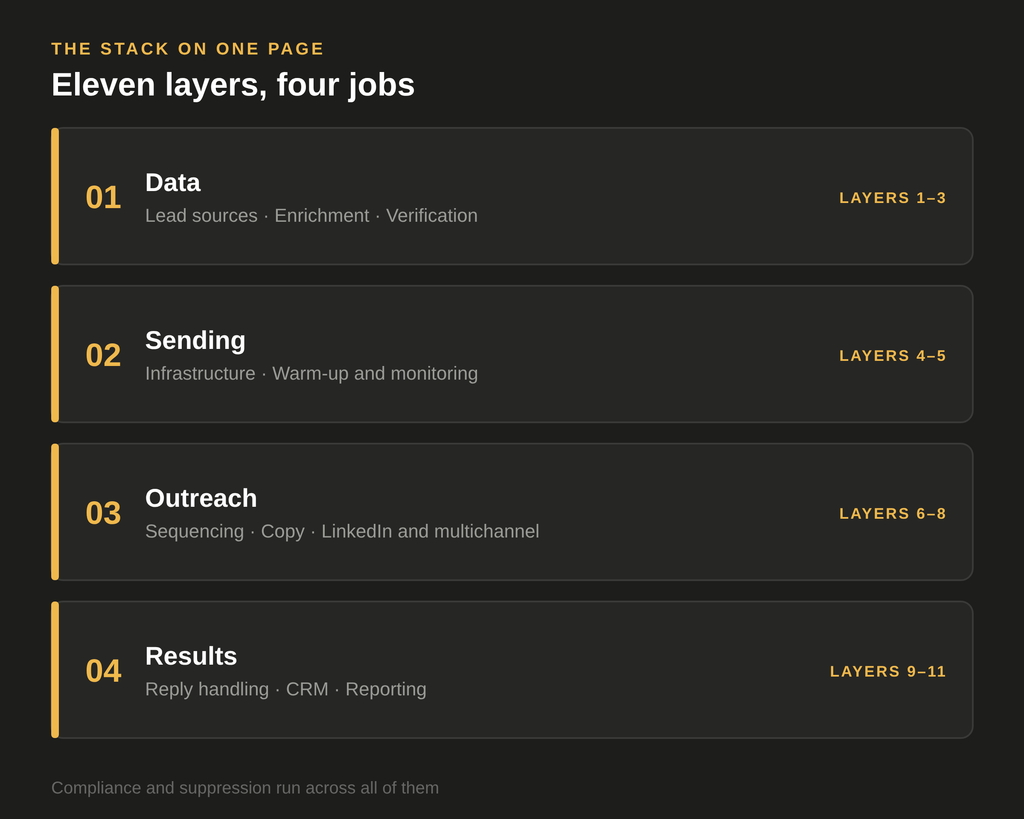
The stack on one page
Data moves through eleven layers, and compliance runs across all of them:
- Lead sources
- Enrichment
- Email verification
- Sending infrastructure
- Warm-up and deliverability monitoring
- Sequencing platform
- Copy and personalization
- LinkedIn and multichannel
- Reply handling
- CRM
- Reporting
A problem in an early layer travels through every later one. Bad data at layer 1 becomes bounces at layer 6 and a damaged domain at layer 5. That is why the order below matters.
Layer 1: Lead sources
What it does: finds the companies and contacts that fit your ICP.
Common types:
- B2B contact databases (Apollo and ZoomInfo are well-known examples)
- LinkedIn-based sourcing (Sales Navigator, for example)
- Directories, public registers and company websites
- Your own lists: customers, event attendees, website visitors (see how to use website visitor data for cold outreach)
What to check:
- Coverage in your market and industry, since some databases are strong in one region and thin in another
- How fresh the data is
- How the data was collected, which matters for GDPR if you target EU contacts
Where it breaks: buying or building a large list before the ICP is defined. A bigger list of the wrong people costs more at every later layer.
Layer 2: Enrichment
What it does: adds the information your message needs, such as the technology a company uses, whether it is hiring, its size or a recent change.
Where Clay fits: it is a common tool for combining data sources and AI research in one table.
Rules that save money and time:
- Enrich only what the message will actually use
- Filter out poor fits before enriching, not after
- Test on a small sample first
Where it breaks: paying to enrich rows that get removed later, or building a table nobody owns.
Layer 3: Email verification
What it does: checks addresses before you send, so invalid and risky ones never reach your sending domain.
Examples of tools: ZeroBounce, NeverBounce and Bouncer are among the established options.
Decide in advance:
- What you do with catch-all and “unknown” results (send, review, or exclude)
- When verification runs (right before export, not weeks earlier, because addresses go stale)
Where it breaks: skipping it to save a small cost, then paying with sender reputation. We explain the cost in the hidden cost of bad prospect data.
Layer 4: Sending infrastructure
What it does: the domains and mailboxes your emails are sent from, plus the technical records that prove you are who you say you are.
The pieces:
- Sending domains: many teams use separate domains for cold outreach, so any reputation damage does not reach the main company domain
- Mailboxes: hosted with a provider such as Google Workspace or Microsoft 365
- Authentication records: SPF, DKIM and DMARC set up correctly on every sending domain
Decisions to make:
- How many domains and mailboxes your volume really needs
- Who owns the domains and mailboxes (important if you work with an agency)
- How you will add and retire mailboxes over time
Where it breaks: sending cold email from the primary company domain, skipping authentication, or putting too much volume through too few mailboxes.
Layer 5: Warm-up and deliverability monitoring
What it does: builds a sending reputation gradually and flags problems early.
What to do:
- Warm up new mailboxes before real campaigns (see why skipping warm-up kills deliverability)
- Increase volume gradually
- Monitor bounce rates, spam placement and domain health on an ongoing basis
Where it breaks: warming up carefully, then ramping volume too fast, or never checking where emails actually land.
Layer 6: Sequencing platform
What it does: sends the emails, schedules follow-ups, rotates across mailboxes and detects replies. Smartlead and Instantly are widely used examples.
What to compare:
- Mailbox rotation and sending limits
- Reply detection (including out-of-office and bounces)
- Integrations with your data tools and CRM
- Reporting you can actually use
- How easy it is to add and remove mailboxes
Where it breaks: choosing on price alone, then finding it cannot connect to the CRM or handle your volume.
Layer 7: Copy and personalization
What it does: turns your data into messages worth replying to.
What to include:
- A small set of templates for each segment, not one for everyone
- One or two variables that are specific and verifiable
- AI assistance for drafting and research, with a human or automated review step
For writing guidance, see how to write a cold email that earns a reply. For quality control, see why you need a reviewer agent.
Where it breaks: unreviewed AI output reaching prospects, with wrong company facts or broken fields.
Layer 8: LinkedIn and multichannel
What it does: adds a second channel so prospects meet you in more than one place. HeyReach and Expandi are examples of LinkedIn automation tools.
Why it can be worth it: in our own campaign data, LinkedIn had the higher reply rate in every head-to-head comparison we ran, though the size of the gap varied a lot by industry. We cover that in our LinkedIn vs. cold email data.
Where it breaks: running channels separately, so one person receives an email, a connection request and a follow-up all saying slightly different things. Also, LinkedIn automation has platform rules and account risks you should read before using it.
Layer 9: Reply handling
What it does: brings replies from every mailbox into one place, labels them and routes the positive ones to a person.
Why it matters: speed. A positive reply that waits days loses much of its value.
What to set up:
- A single inbox view across all sending mailboxes
- Labels such as positive, not now, wrong person, not interested, unsubscribe
- A named person who answers, and a target response time
Where it breaks: replies sitting in a forgotten mailbox, or an unsubscribe request that does not reach the suppression list.
Layer 10: CRM
What it does: the system of record for leads, conversations and deals. HubSpot, Pipedrive and Salesforce are common choices.
What to decide:
- Which events create a record (a positive reply, a booked meeting) and which do not
- Who creates it, a person or an automation
- Which fields from earlier layers travel with the lead, especially the reason the account was targeted
Where it breaks: syncing every contact automatically, which fills the CRM with people who never replied and hides the ones who did.
Layer 11: Reporting
What it does: shows what is working.
Track outcomes, not activity. Useful metrics include:
- Positive reply rate
- Meetings booked and, more importantly, meetings held
- Bounce rate and spam complaints, as health indicators
- Results by segment, message and channel
Our post on seven outbound metrics that actually matter goes further.
Where it breaks: reporting on emails sent and open rates, which say little about whether anyone is interested.
Across every layer: compliance and suppression
- Keep one master do-not-contact list that every tool respects. Someone who opted out in one tool must not receive messages from another.
- If you contact people in the EU, document your legal basis and data sources before sending.
- Include clear sender identification and an easy way to opt out in every email.
Where it breaks: each tool keeping its own list, so opt-outs do not travel.
Three stacks for three stages
You do not need all eleven layers at once. This is a starting point for choosing.
| Stage | Layers to have | What to skip for now |
|---|---|---|
| Starter (one sender, low volume, one campaign) | Lead source, verification, one or two mailboxes on a separate domain, warm-up, a sequencer, a spreadsheet or light CRM | Enrichment beyond one or two fields, LinkedIn automation, complex reporting |
| Growing (several mailboxes and campaigns) | Everything above, plus enrichment, deliverability monitoring, a proper CRM sync, a shared reply inbox | Heavy workflow automation |
| Agency-grade (several clients or high volume) | Everything above, plus workflow automation, a QA layer, per-client reporting, shared suppression, clear domain ownership per client | Nothing, but document who owns what |
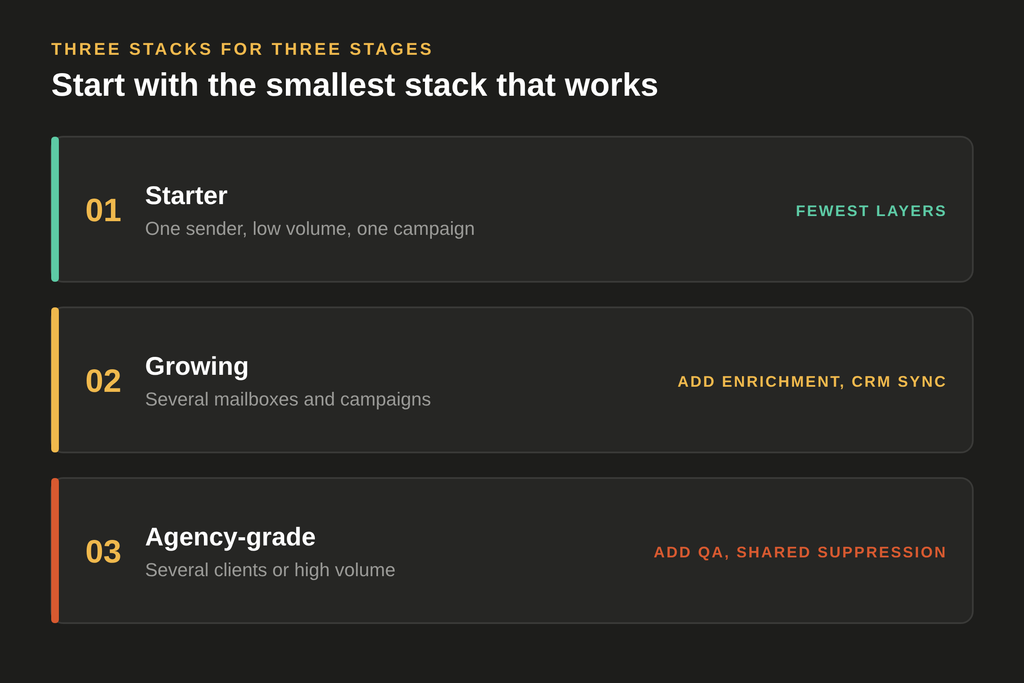
Start with the smallest stack that works, and add a layer only when its absence is causing a real problem.
How to choose tools without comparing fifty of them
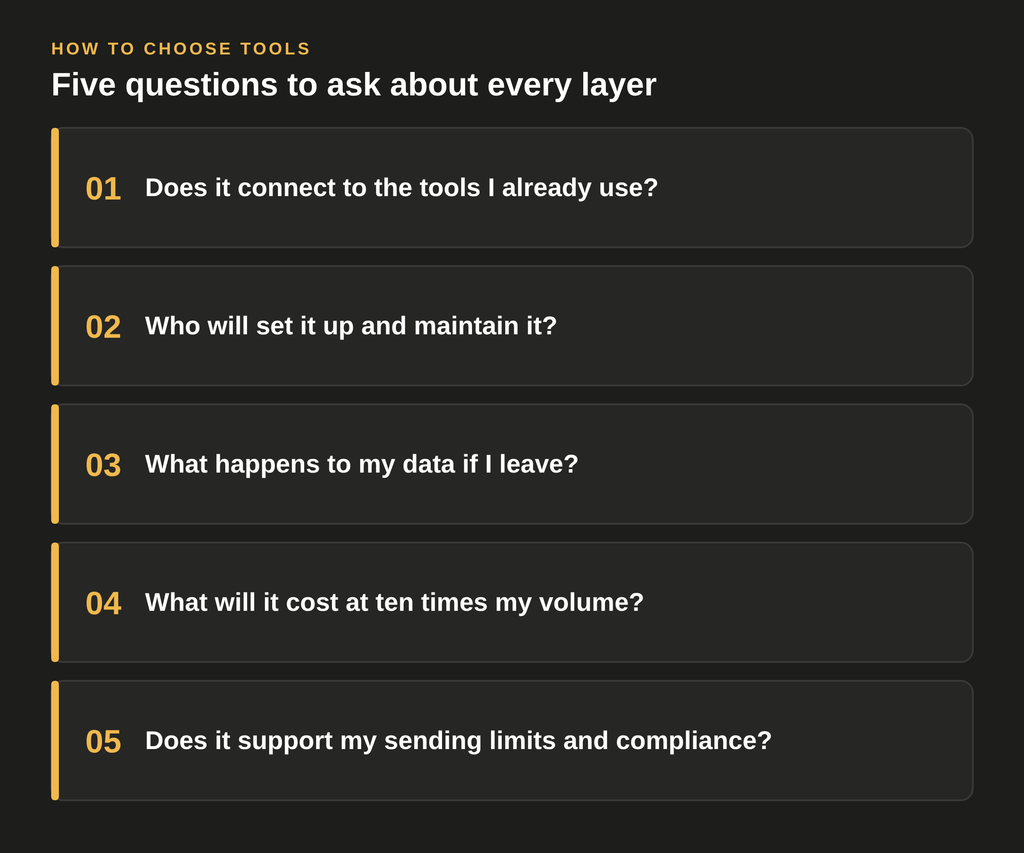
For each layer, ask five questions:
- Does it connect to the tools I already use?
- Who will set it up and maintain it?
- What happens to my data if I leave?
- What will it cost at ten times my current volume?
- Does it support my sending limits and compliance needs?
If two options answer these equally well, pick the simpler one.
Common stack mistakes
- Buying tools before defining the process. The process should dictate the tools, not the other way around.
- Too many tools for the volume. Each one adds cost, integration work and something to maintain.
- No owner. A stack with no named owner degrades quietly.
- Skipping an end-to-end test. Run 20 contacts through the full flow, from source to CRM, before launching at scale.
- Treating deliverability as a one-time setup. It needs ongoing attention.
A one-page checklist
Before you launch, fill in one row per layer:
| Layer | Tool chosen | Owner | What we measure |
|---|---|---|---|
| Lead source | |||
| Enrichment | |||
| Verification | |||
| Sending infrastructure | |||
| Warm-up and monitoring | |||
| Sequencing | |||
| Copy and personalization | |||
| LinkedIn / multichannel | |||
| Reply handling | |||
| CRM | |||
| Reporting |
If a row is empty, that is where your next problem will come from.
If you would rather have the stack set up and run for you, see our cold email outreach service or get in touch.
Check also: Building an Outbound Tech Stack — What You Really Need